
The display name is the name customers see for your WhatsApp number. Each number has its own name, so your main number can be "Zlotworks" and your support number "Zlotworks Support".
Picking a good name
Meta checks names against its rules. Names that clearly show your business are approved; vague ones may be rejected.
Pattern: your business name + what this number is for.
| Good | Risky |
|---|---|
| Zlotworks | Support |
| Zlotworks Support | Customer Care |
| Zlotworks Sales | Best Deals |
| Zlotworks Indiranagar | Book Now |
Also avoid: only a person's name, only generic words, special symbols or emoji, all capitals, and names of brands you don't own.
Where you set it
In the Meta window when you connect a number (step "WhatsApp Business profile").
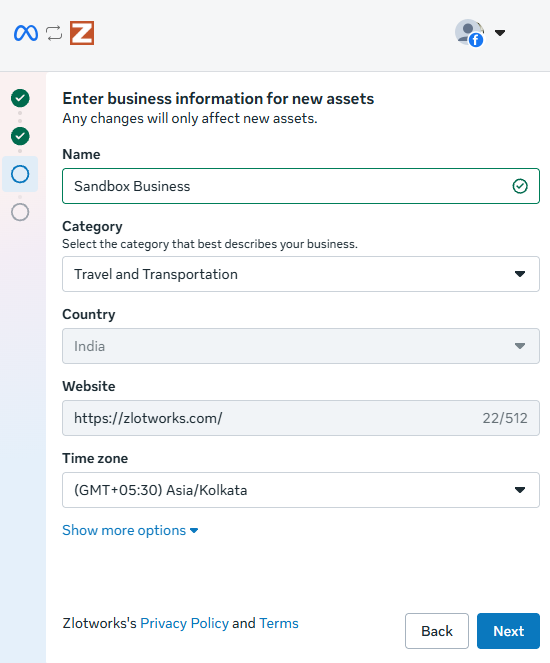
When you connect a new number to a channel (Settings → General → Channels, open the channel, Connect a number → Add a new number), Zlotworks suggests a name and gives you a Copy button. It may warn "This name may not pass Meta's review." if the name doesn't include your business name.
When customers see it
- It always shows on your business profile.
- It shows at the top of chats and in the chat list once Meta approves it. Meta reviews it automatically as your sending grows.
- If a customer has saved your number in their contacts, they see their saved name instead.
To check the name and its review status, click Number details in the Zlotworks header.
Changing it later
Today: WhatsApp Manager → Phone numbers → your number → Profile → Display name → Edit.
- Meta reviews every change before it shows.
- Up to 10 changes in 30 days.
- After approval, the number must be re-registered within 14 days for the new name to show.